Contacting support
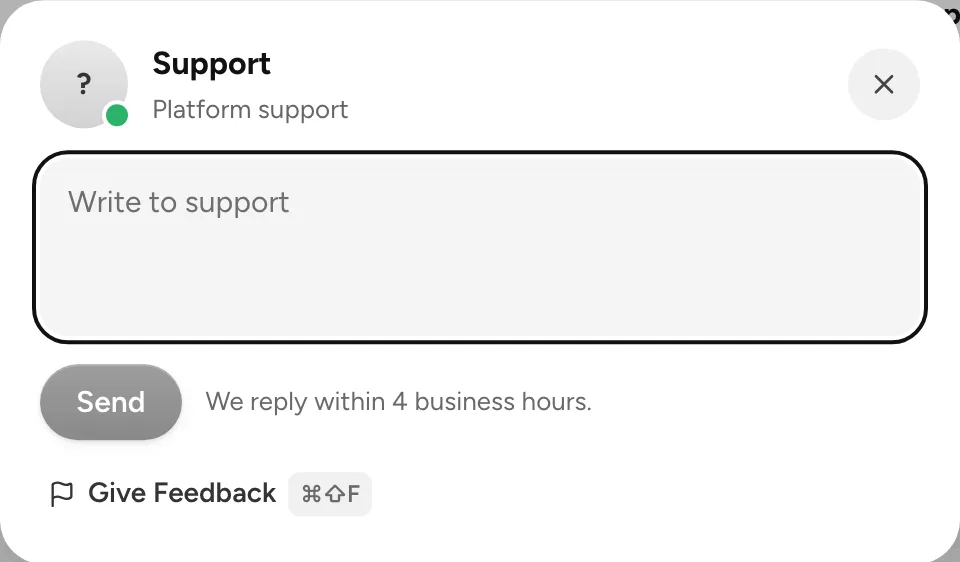
Write to a person from Contact support in the sidebar, or the help button on a phone. Who answers depends on who runs your project.
Updated
Newton can answer most questions in the chat. When you’d rather talk to a person, write to your project’s contact.
Where to write
- Contact support in the sidebar, just above Settings. If an agency runs your project, it shows your contact’s name instead.
- On a phone, the round help button at the top right of the chat, next to your project’s name. It opens Menu at the contact card.
- Anywhere, type “help” or “support” in Search.
Write your message and choose Send. Replies show up in the same panel.
Who answers
| Your project | Who answers |
|---|---|
| Your agency has set a contact | Your contact at the agency |
| Managed, with an account manager and no agency contact | Your account manager |
| Anything else | Platform support |
Owners and admins choose the contact in Settings → Project → Help contact.
How fast
Platform support replies within 1 business day on Self-review, and within 4 business hours on Managed. The panel shows the time for your project. For an agency contact, the panel says Usually replies within 1 business day.
Before you write
It helps to say:
- which project it’s about;
- what you expected, and what happened instead;
- the name of the work item, if it’s about one.
Never send passwords, card numbers or access codes in a message. Nobody from the platform will ask for them.
Reporting a security problem
If you think someone has reached your account or your data, write to support straight away and say it’s about security.
Was this helpful?