Recurring work
Monthly reports, weekly ads management and flow upkeep run on a schedule. Each run has its own hours and appears on the same work item.
Updated
Some work repeats: a monthly report, weekly ads management, or upkeep for your live email flows. Ask Newton for it once, and it runs on a schedule.
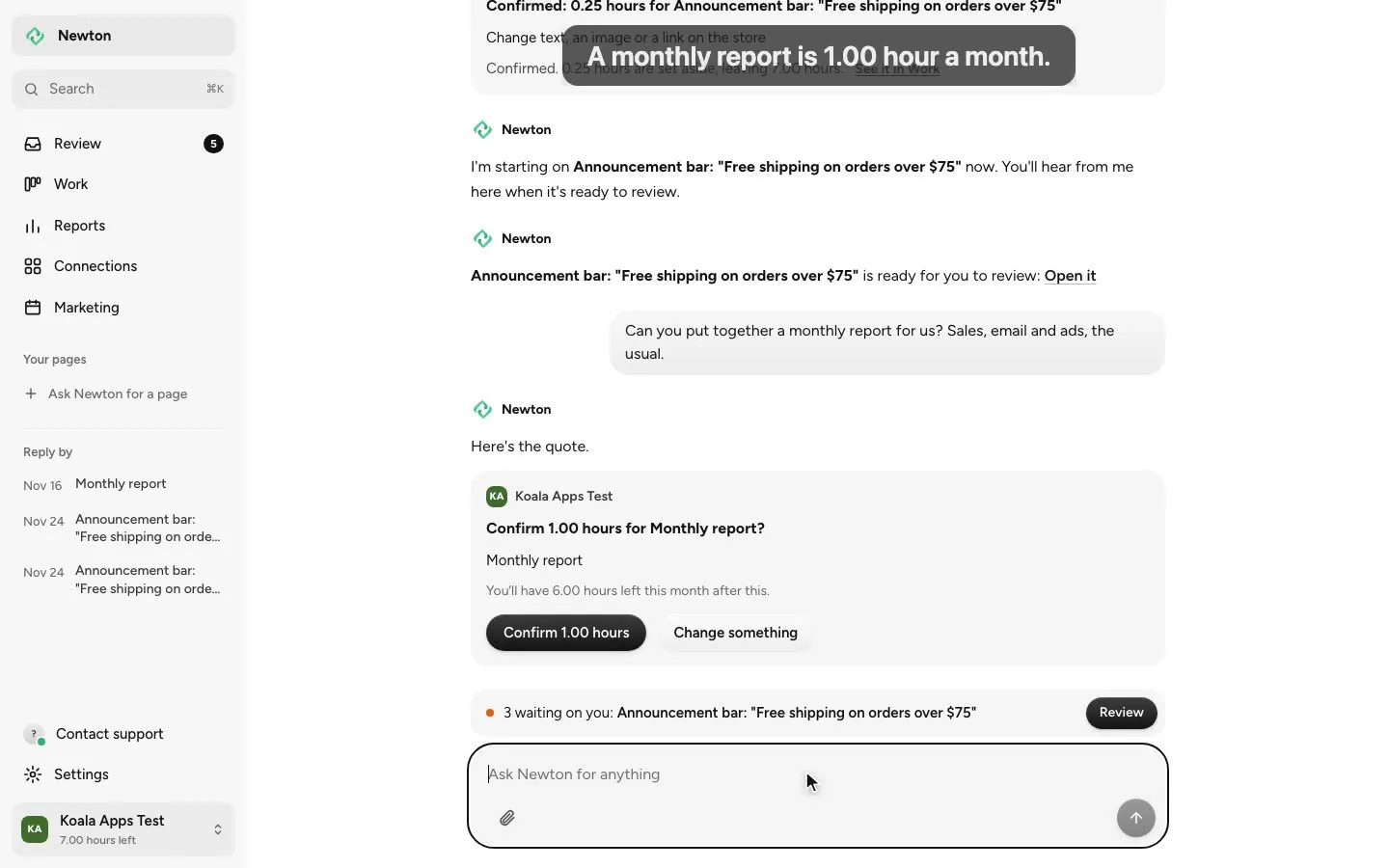
Each run counts on its own
Every run is its own piece of work, with its own hours from the standard table:
| Work | Each run |
|---|---|
| Monthly report | 1.00 a month |
| Weekly report | 0.25 a week |
| Ads management | 0.50 a week for each ad account |
| Flow upkeep | 0.25 a month for each live flow |
Before each run, you get a card to Confirm its hours or Skip this one. A standing rule can confirm runs for you.
Managing the schedule
Open the work item in Work. You’ll see how often it runs, the hours for each run, and the next run.
- Pause stops new runs until you choose Resume. Runs missed while paused aren’t made up later.
- Skip the next run skips just one. It needs no hours, and the one after goes ahead.
- Change the schedule sets how often it runs, like every month on the 1st, or every week on a Monday.
The Runs list shows up to 60 of the most recent runs, who confirmed each one, any hours returned, and a link to each report.
Changes to a run
You can ask for changes on a run, and it comes back for your review.
Was this helpful?