The Review inbox
Review lists everything waiting on you, in one place: work to approve, quotes to confirm, questions to answer, and more.
Updated
Review is your inbox. Everything waiting on you shows up there. Some items take you to Connections or to a sign-in page. Find it in the sidebar, just under Newton, with a count of what’s waiting. On a phone, it’s a tab at the bottom.
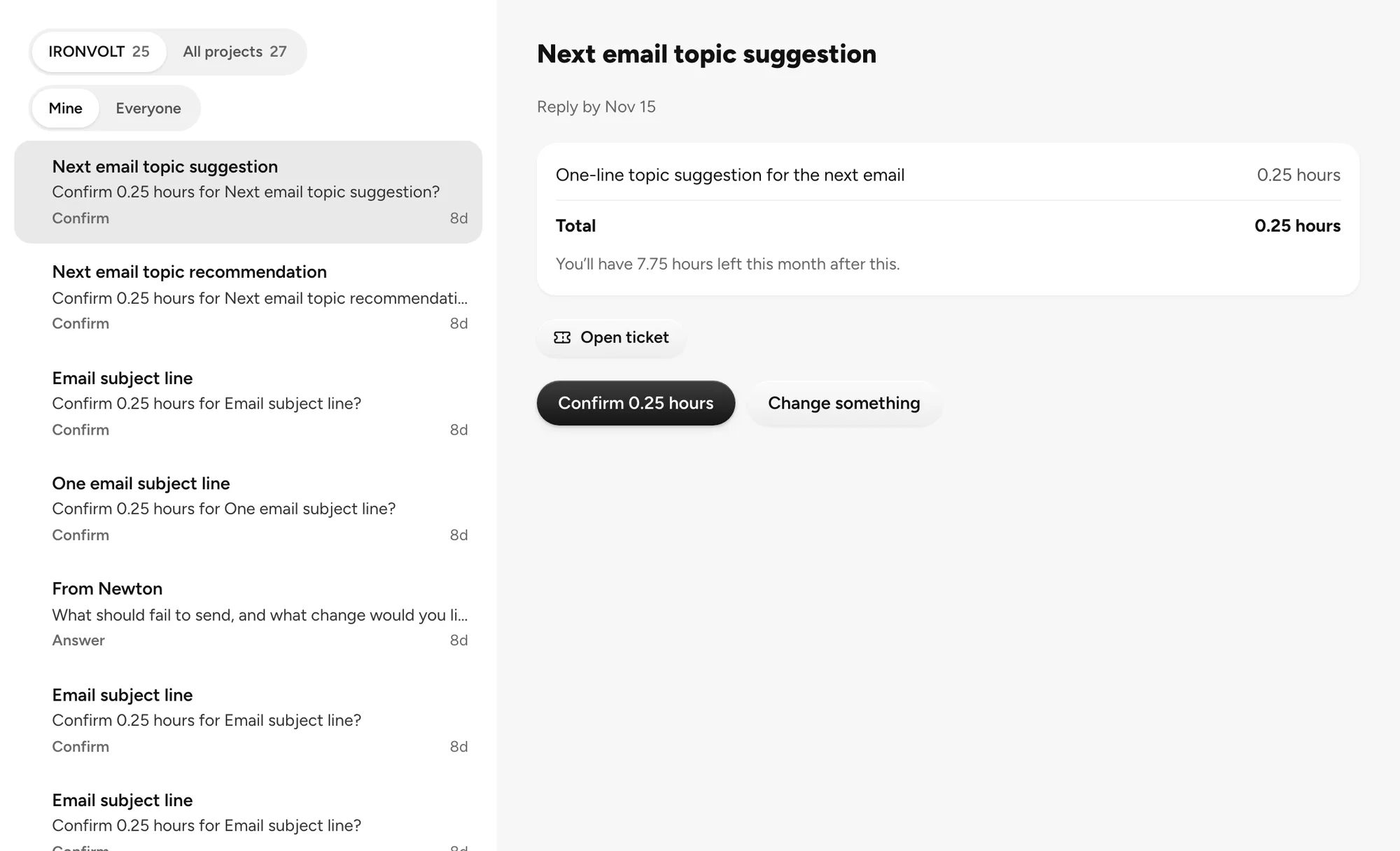
What shows up
- Approve: finished work to approve, or ask for changes.
- Confirm: a quote to confirm.
- Answer and Choose: a question from Newton.
- Rule: a standing rule Newton suggests.
- Preference: a preference someone suggested, for you to keep or not.
- Payment: a card to add or a payment to fix.
- Connection: a step to finish, like accepting our request in Shopify.
- Invitation: an invitation to join a team or take over a project.
If you can approve work, choose Everyone to see items waiting on other people too.
This project or all of them
The switch at the top shows the current project, or All projects, each with its count. Under All projects, every row names its project. The app remembers your choice.
Order and dates
Anything due in the next 3 days comes first, with an orange dot and Reply by its date. After that, the oldest comes first.
Working through it
Pick a row to open it. After you answer on a phone, you return to the list. On a wide screen, the next waiting item opens if there is one. On a computer, the J and K keys (or the arrow keys) move up and down the list.
Each item also links to where it lives, like Open in Work or Open the chat.
When it’s empty
“Nothing is waiting on you in this project.” If other projects need you, a button takes you there.
Was this helpful?