Making work live, and undoing it
For work that changes your store, Klaviyo or ad account, one button approves it and makes it live. Here's what each kind of work does, and when you can undo.
Updated
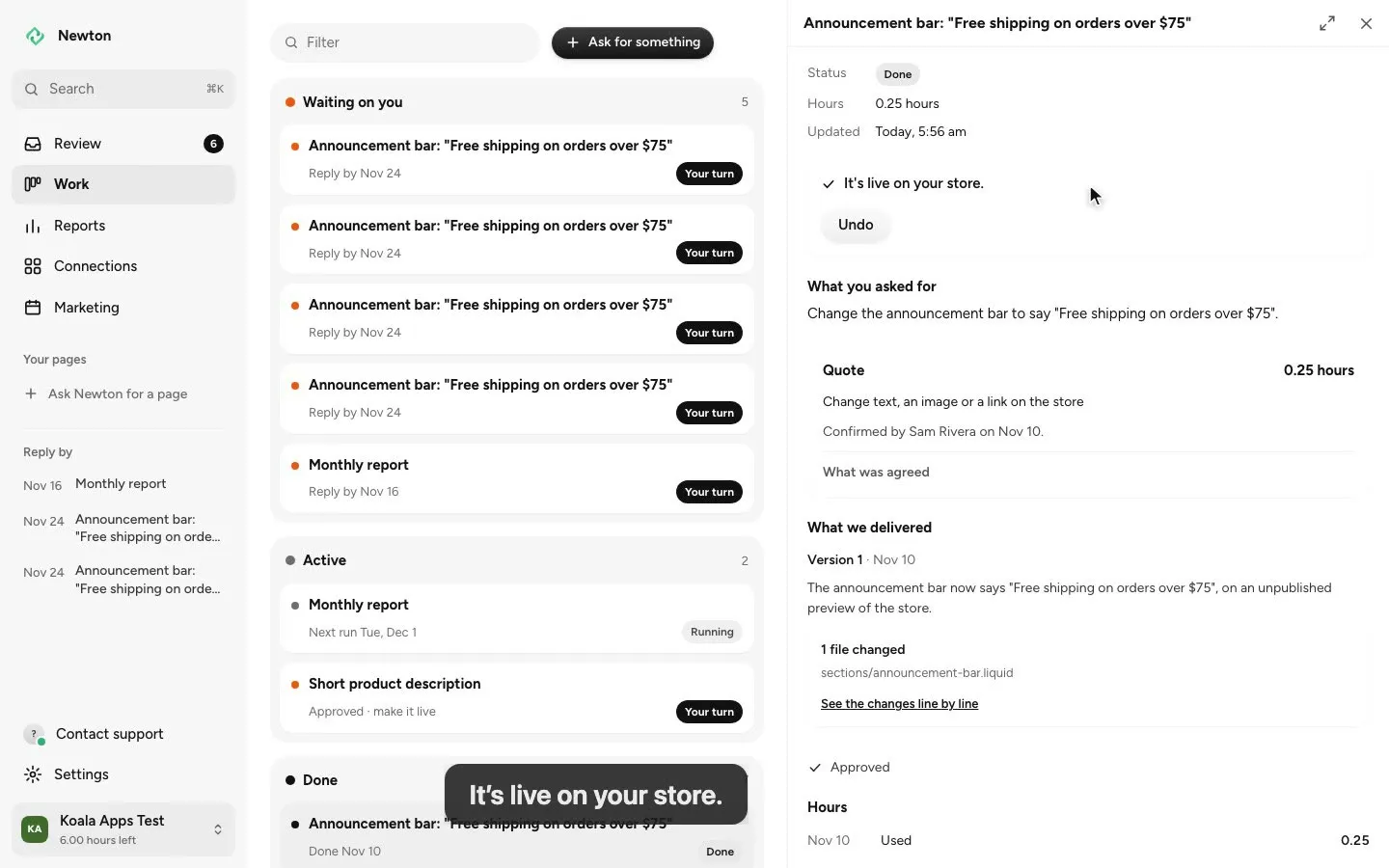
For work that changes your store, email or ad account, approving it and making it live are one step. In Review, the button says what it does. Owners, admins and approvers can approve.
What approving does
| Work | The button | What happens |
|---|---|---|
| Store theme change | Approve and make it live | The change is published to your live theme |
| Product and discount changes | Approve and make it live | Each change is made in order and checked on your store. New products are saved as drafts |
| Approve and schedule | The email is scheduled in Klaviyo for its send time. Klaviyo leaves out anyone who unsubscribed. It can’t be sent straight away |
Work that doesn’t change an account, like a report, has a plain Approve.
Money changes, like a new discount, also need the spend permission, and a sign-in within the last 10 minutes.
If it can’t go live yet
Sometimes work is approved but can’t go live at that moment, for example when you approve a discount without the spend permission. Then it stays in Review as Make it live, for you or someone who can, once it’s ready to go.
Checking it worked
After a change, we read your account again to check it went through. Until that’s confirmed, the work shows In progress, never Done. Check again looks again now; for a scheduled email, Check if it sent does the same.
If something changed in your account
If someone edited the same thing in your store or Klaviyo since the version was made, nothing is overwritten. Choose Redo the copy for a theme change or Make a new version for email, ads, or product and discount changes. The same request is done again against your account as it is now, with no extra hours, and the new version comes back for your review.
Undo
Undo puts back the version from before. It’s there for store theme changes, once each, after they go live. If the live files have changed again since, undo is refused, so nothing newer is lost.
Some product and discount changes have an Undo button. Emails don’t. If there’s no Undo, you can ask Newton to change it back as a new request with its own quote. Ads come as files you upload yourself, so you pause them in your ad account.
Stopping before it goes live
Changed your mind before approving? Open the work item and choose Stop this work, or Cancel this request if work hasn’t started yet. If work hadn’t started, the hours you set aside come back.
Was this helpful?