Roles and what each can do
Owner, Admin, Approver, Requester or Viewer. Each role decides what a person can see, ask for, confirm and approve.
Updated
Everyone on your team has a role. The role decides what they can do on the projects they can open. See your team in Settings → Team.
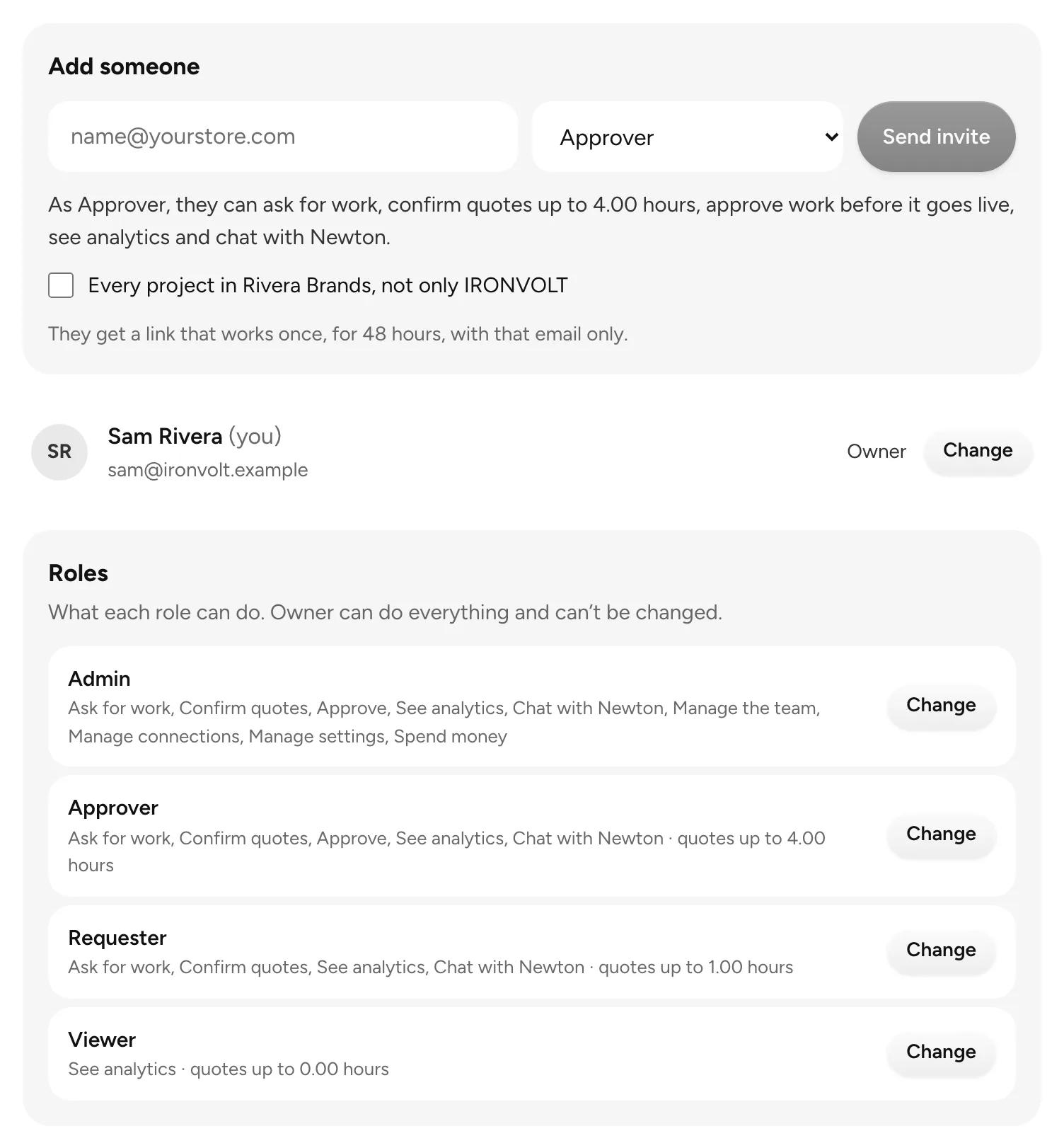
The roles
The table shows each role’s usual permissions and quote limit. Both can be changed for individual team members other than the owner.
| Role | Can do | Confirms quotes up to |
|---|---|---|
| Owner | Everything, including billing, hours and transferring projects | Any size |
| Admin | Manage the team, connections, settings, approvals and spending, including billing, on every project. Can’t transfer projects | Any size |
| Approver | Ask for work, confirm quotes, approve work and ask for changes, see analytics | 4.00 hours |
| Requester | Ask for work, confirm small quotes, see analytics. Can’t approve | 1.00 hour |
| Viewer | See work and analytics. Can’t use the chat, ask, confirm or approve | Can’t confirm |
| Client | For an agency’s own client in a project the agency runs. Same as Requester | 1.00 hour |
Which projects people see
- Owners and admins see every project your organization owns.
- Everyone else sees the projects they were invited to. An invite is for this project only. After the person joins, you can select Every project when you edit their role.
Spending
Only owners and admins can spend: buy hours, make ads live or raise budgets. A Requester or Approver who needs more hours asks one of them.
Changing roles
In Settings → Team, you can edit a member’s Role or choose Remove from the team.
Agencies have their own rules
An agency working on your project isn’t a member of your team. You choose what it can do. See Working with an agency.
Was this helpful?