Brand facts and files
Tell Newton the facts about your brand and add your logos, fonts and past work, so everything written or designed for you sounds and looks like you.
Updated
Newton and the team use your brand facts and files whenever something is written or designed for your project. Find them in Settings → Brand.
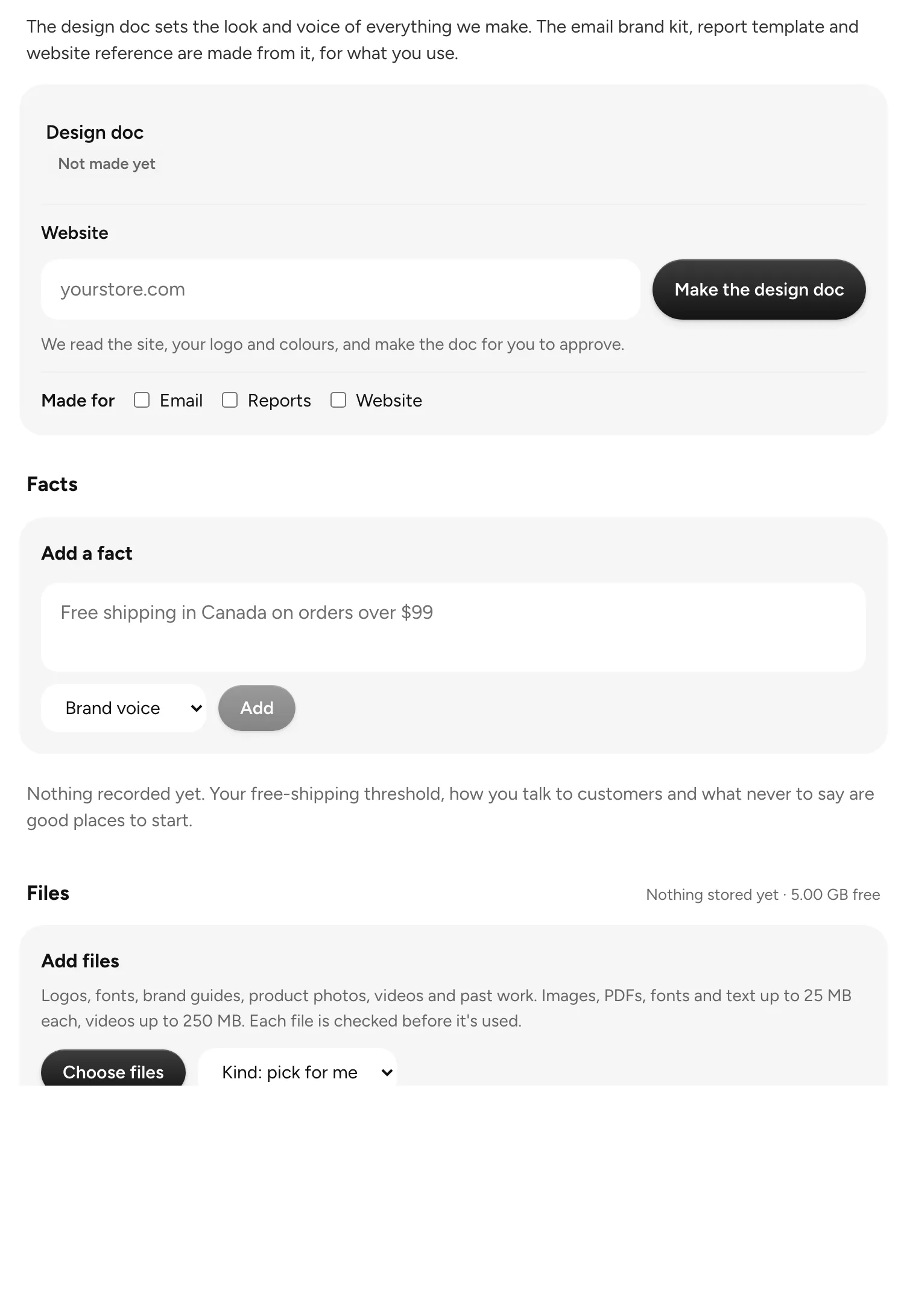
Facts
A fact is one short thing that’s always true about your brand. Good first facts:
- your free-shipping threshold;
- how you talk to customers;
- what never to say or promise;
- who your customers are.
To add one, write your fact and choose Add. The app picks its kind, which you can change. Each fact can be up to 1,000 characters. You can Change or Remove a fact later, and the old versions are kept.
Files
Add logos, fonts, brand guides, product photos and past work with Add files.
- What you can add: images (PNG, JPEG, GIF, WebP and SVG), PDFs, fonts (TTF, OTF, WOFF and WOFF2) and text files (plain text, Markdown, CSV and JSON).
- Size: up to 250 MB for a video, 25 MB for any other file and 5 GB for each project. The tab shows how much you’ve used when the project is nearly full.
- What’s refused: web pages, and SVGs or PDFs that contain scripts. We check the contents of each file. For text files, we also check the filename extension.
The app picks a kind for each file you add.
Who can change them
People who can approve work, and owners and admins, can add and change facts and files. Everyone on the project can see them.
Facts or preferences?
Facts describe your brand. Preferences are rules for how Newton works on your project, like “always sign emails from Sam”. Both are used on every request, except a preference set for one request only.
Was this helpful?