How a quote works
Every piece of work is quoted in hours. Here's when a quote waits for your yes, what the quote card shows and what it means.
Updated
Newton quotes every piece of work in hours. Work your assistant asks for is covered by your hours without a separate yes. A quote is shown and needs your yes when the work would go over the hours you have, or when you ask for a quote. A request you make in the chat shows its quote card for someone to confirm, unless a rule you’ve set confirms quotes of that size for you. Confirming a quote, in the app or by telling your assistant, is your agreement to it.
What the quote card shows
- The title: what the work is, like “Confirm 2.00 hours for Write a welcome email?”
- Every piece of work, with its hours. If the work needs something extra to be done right, like a discount code for an email that promotes one, it’s listed too. A piece that costs nothing shows Included.
- What’s not included, in the line above the card. For example: “Not included: Email body, design or sending.”
- Your hours after this: You’ll have 7.75 hours left this month after this.
Where the hours come from
Each kind of work has a published standard time: roughly what a skilled agency person would take to do it well. A campaign email is 2.00 hours. Changing a line of text on your store is 0.25 hours. See What an hour buys.
The quote is fixed. If the work takes longer than quoted, that’s our cost, not yours.
Where to find it later
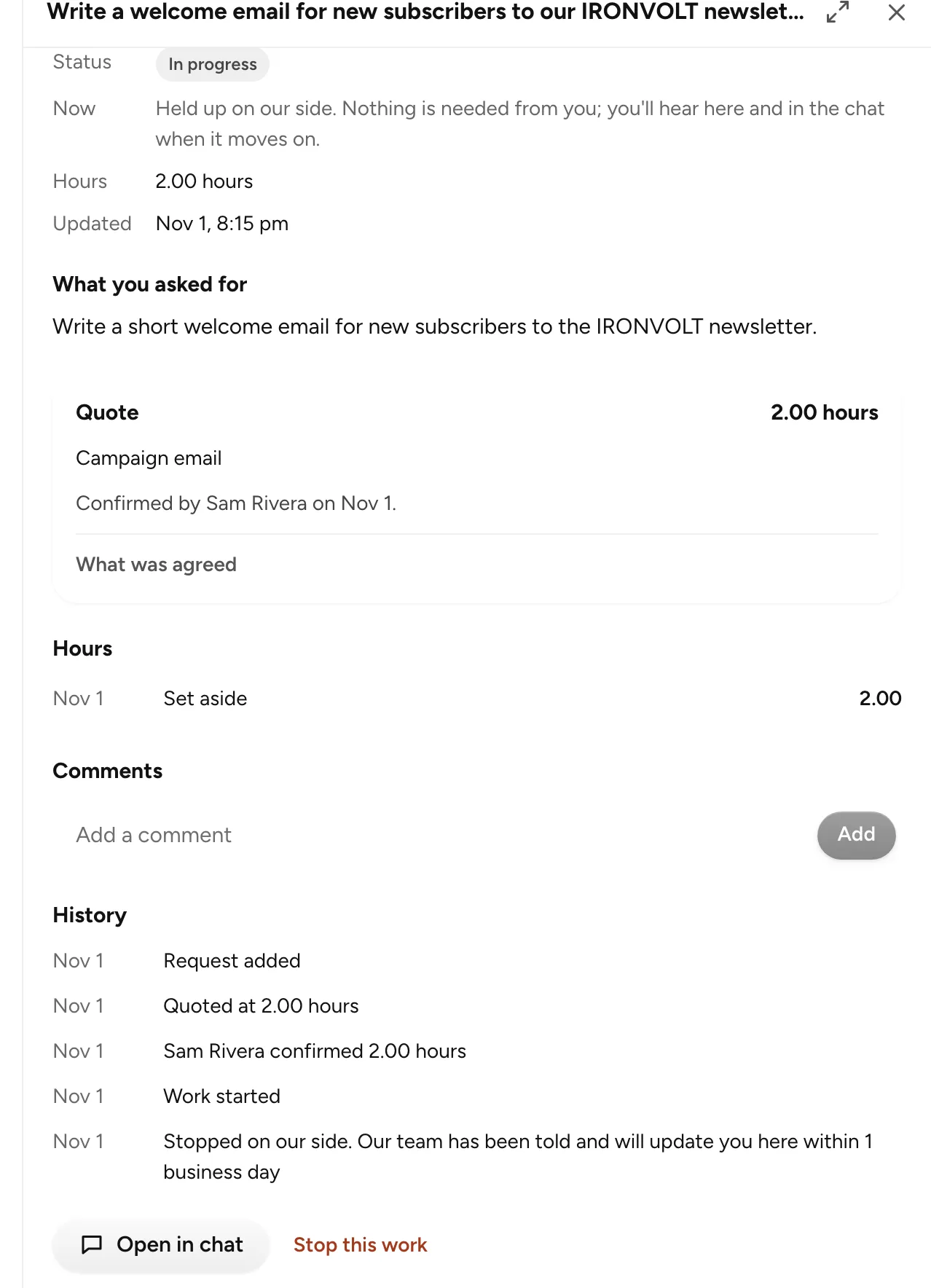
The quote stays on the work item in Work, with who confirmed it and when. Choose What was agreed to see the request and the preferences in force when it was confirmed.
Was this helpful?