Work, and what each status means
Work lists every request on your project, from quote to done. Here's what each column and status means.
Updated
Work lists every request on the project you’re in, with its hours and status. Open it from the sidebar.
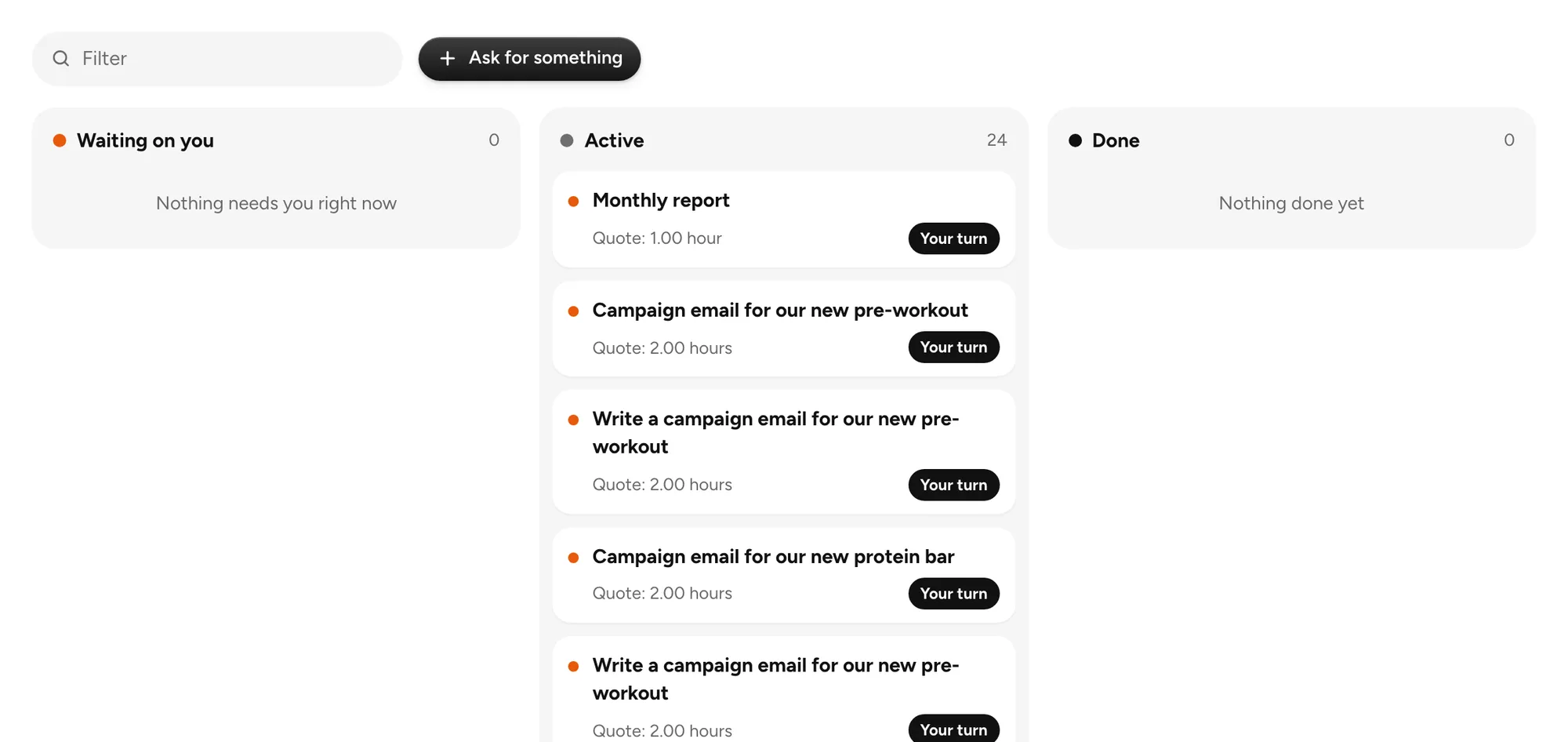
The three columns
- Waiting on you: quotes to confirm, work to approve and questions to answer.
- Active: confirmed work that’s being done, checked or waiting to go live.
- Done: finished work.
Use Filter to find a request by name, and Ask for something to start a new one.
What each status means
| Status | What it means |
|---|---|
| Getting a quote | Newton is working out what you want and what it costs |
| Your turn | Something needs you: a quote, an approval or an answer |
| In progress | Confirmed, and being done or checked |
| Scheduled | Approved, and waiting for its time, like an email’s send time |
| Done | Delivered, and checked in your account |
| Closed | Cancelled, declined, or closed with no answer |
A Your turn card says what’s next, like “Reply by Nov 15” or “Approved · make it live”.
Inside a work item
Open any request to see:
- What you asked for, and the Quote, with who confirmed it and when;
- What was agreed: the request and preferences in force when it was confirmed;
- the result to review, when it’s ready;
- the Hours it set aside and used;
- Comments from you, your team and Newton;
- History: every step in order.
Open in chat opens the project chat. Cancel this request cancels it before work starts, and the hours come back. Once work has started, the button is Stop this work. Before either one acts, it shows what it stops and what happens to the hours.
Was this helpful?