Your first request
Ask Newton for something in plain words, answer any question it has, and review a quote if one needs your confirmation.
Updated
Asking for work takes one message. Here’s what happens, step by step.
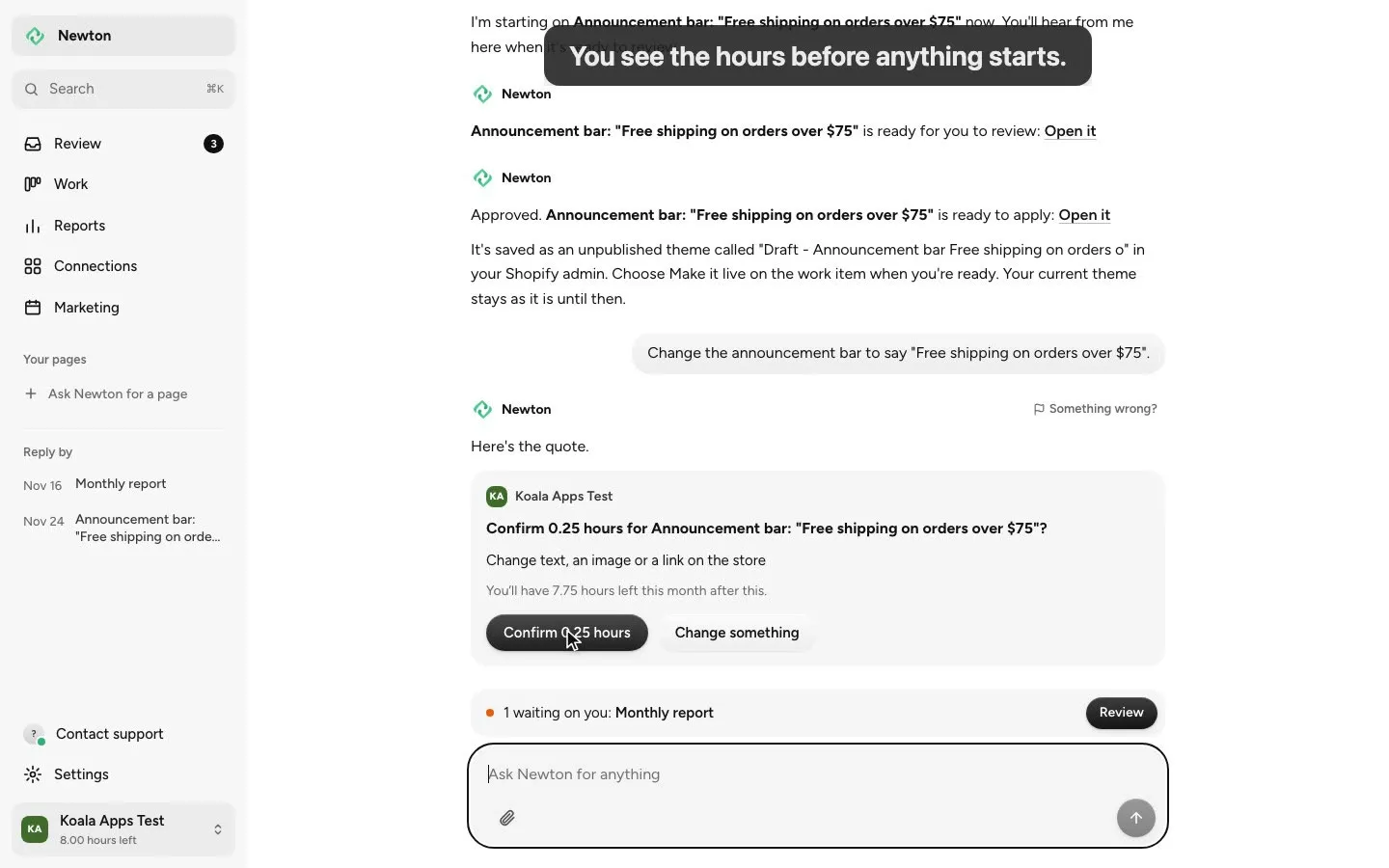
1. Ask in plain words
Type in the chat, the way you’d ask a person:
Write a short welcome email for new subscribers to our newsletter.
You can also choose Ask for something on the Work screen. Either way, the reply comes in your chat.
Say what matters to you, like the offer, the date or who it’s for. Leave out what you don’t mind: Newton picks sensible defaults and tells you which ones it chose.
2. Answer any question
If something would change the result, Newton asks first. Its questions come as cards with buttons, so you tap an answer instead of typing “yes”.
3. Get the quote
For work that needs a quote, Newton replies with a quote card: what you’ll get, what’s not included, and the hours it uses. If a rule confirms the quote for you, work starts automatically. See How a quote works.
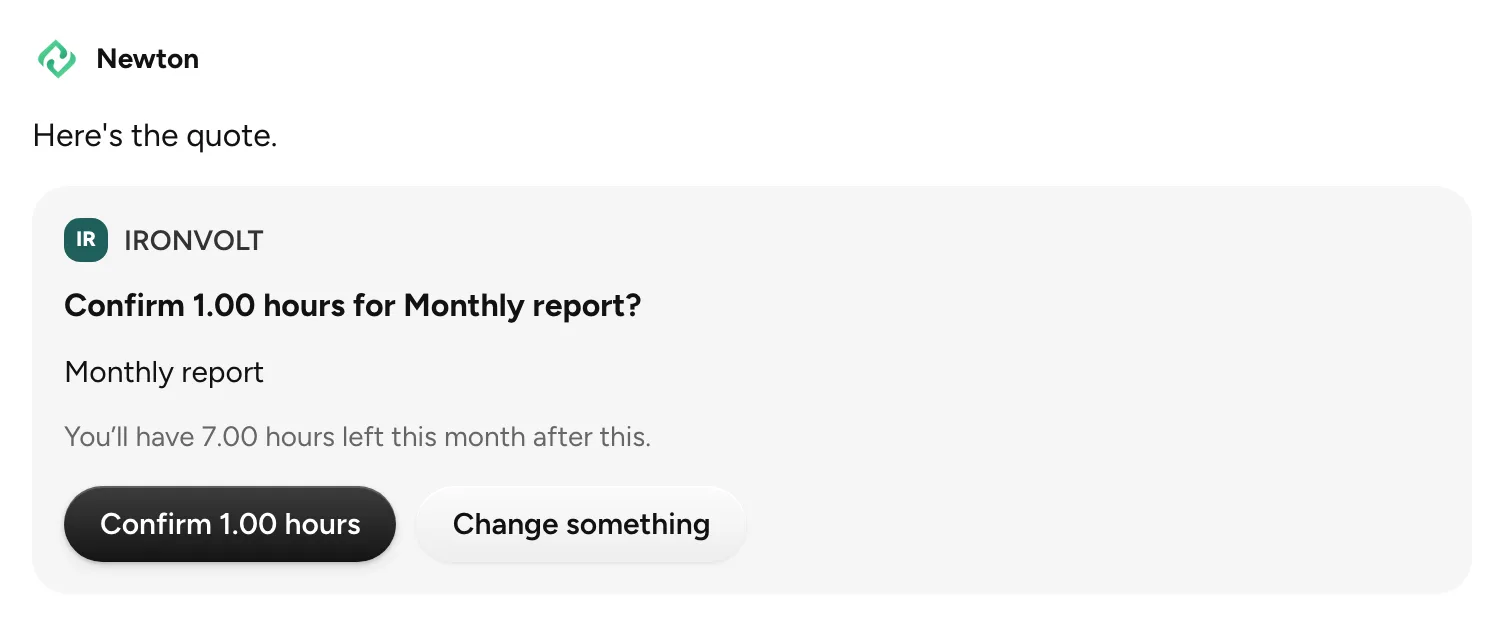
4. Confirm, or change it
- Confirm starts the work and sets the hours aside.
- Change something lets you tell Newton what to change, and you get a new quote.
5. Review the result
When the work is ready, it waits for you in Review. You look at the real thing, then approve it or ask for changes. See Approving work.
Good first requests
- “Change the announcement bar to say free shipping over $75.”
- “Write a campaign email for our new protein bar.”
- “Make me a page that shows our open work and hours left.” (The page is saved without a quote.)
- “How many hours do I have left?” (questions are free)
Was this helpful?